
-
How to Order K2 Systems via SOLSOL
Send Your K2 Base Design Directly to the SOLSOL Shopping Cart
Ordering K2 mounting systems is now even easier. With the K2+ feature, you can send the complete list of required components directly from K2 Base to the SOLSOL shopping cart once your design is finished – without exporting an Excel file or manually importing the items.
After completing your PV mounting system design, you will find a complete list of all components required for the specific project in the Summary tab. Using the K2+ Wholesalers Webshop button, you can transfer the items directly to our webshop.
How to Connect K2 Base with SOLSOL
- Log in to your MyK2 account.
- Open the list of available wholesalers in the Profile section.
- Activate SOLSOL and, if you wish, add us to your favourites for quicker access.
- Create your mounting system design in K2 Base as usual.
- Once the design is complete, go to the Summary tab.
- Click K2+ Wholesalers Webshop and select SOLSOL.
- The project items will be transferred automatically to the SOLSOL shopping cart, where you can review the quantities and continue with your order.
Why Use the K2+ Direct Connection?
- Faster ordering – move directly from system design to the shopping cart.
- No manual retyping or emailing item lists.
- Fewer errors when transferring product codes and quantities.
- Save SOLSOL as a preferred wholesaler for faster selection.
- Transfer confirmation – K2 Base shows whether all items were successfully added to the webshop.
Need to Edit the Item List Before Ordering?
If you want to adjust quantities, remove individual items or make other changes before adding the products to your cart, you can still use the Excel export from K2 Base followed by bulk import into our webshop using the instructions below.
Have you prepared a list of items you want to buy in K2 Base and want to edit the list?
Here's a simple guide to importing items in bulk into our e-shop.
How to Bulk Import a Shopping List into the E-shop
1. In the K2 Base app, select your project in which you have an order of items
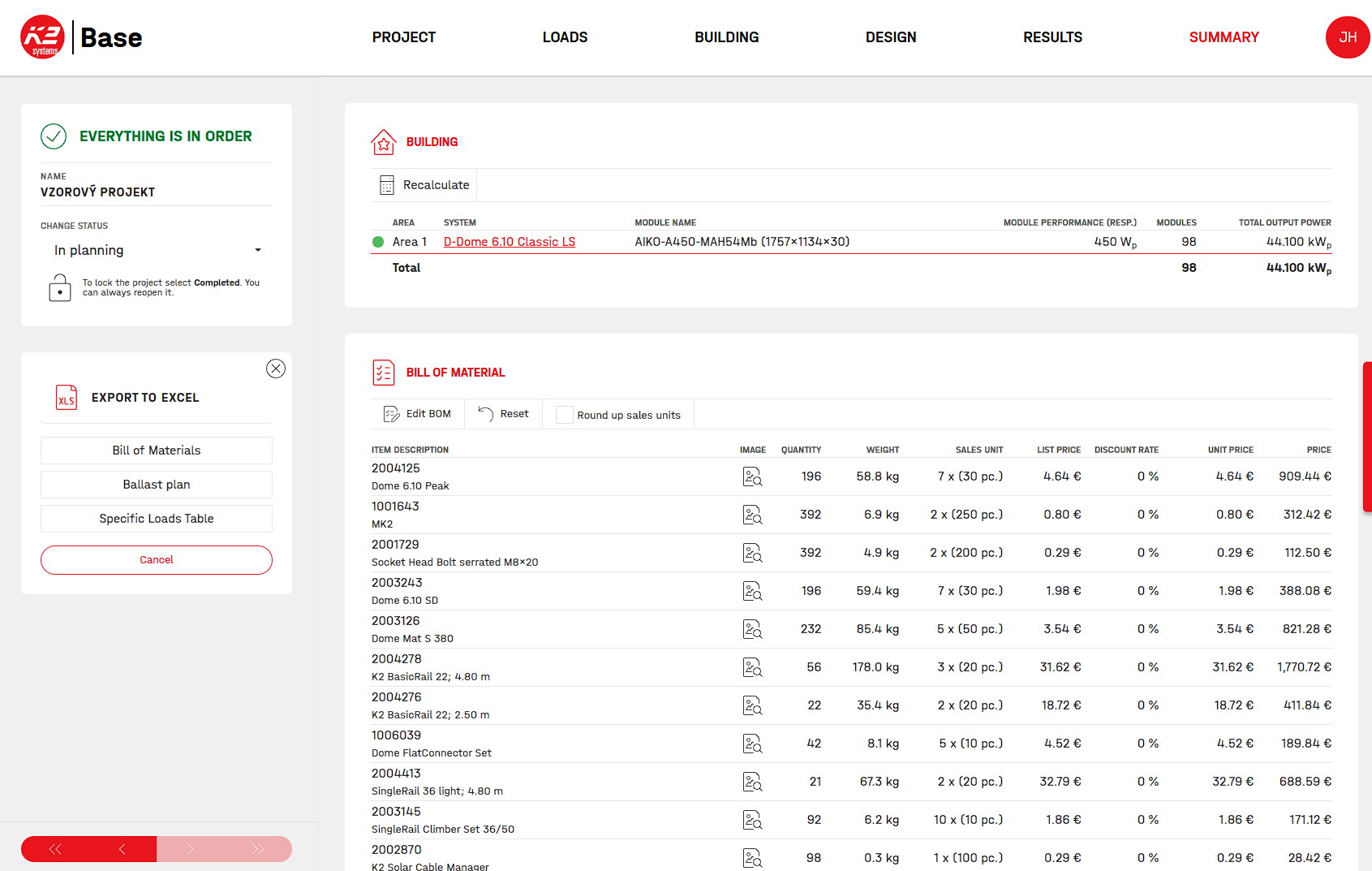
2. Enter the export into excel
The application will generate a list of items for your project.
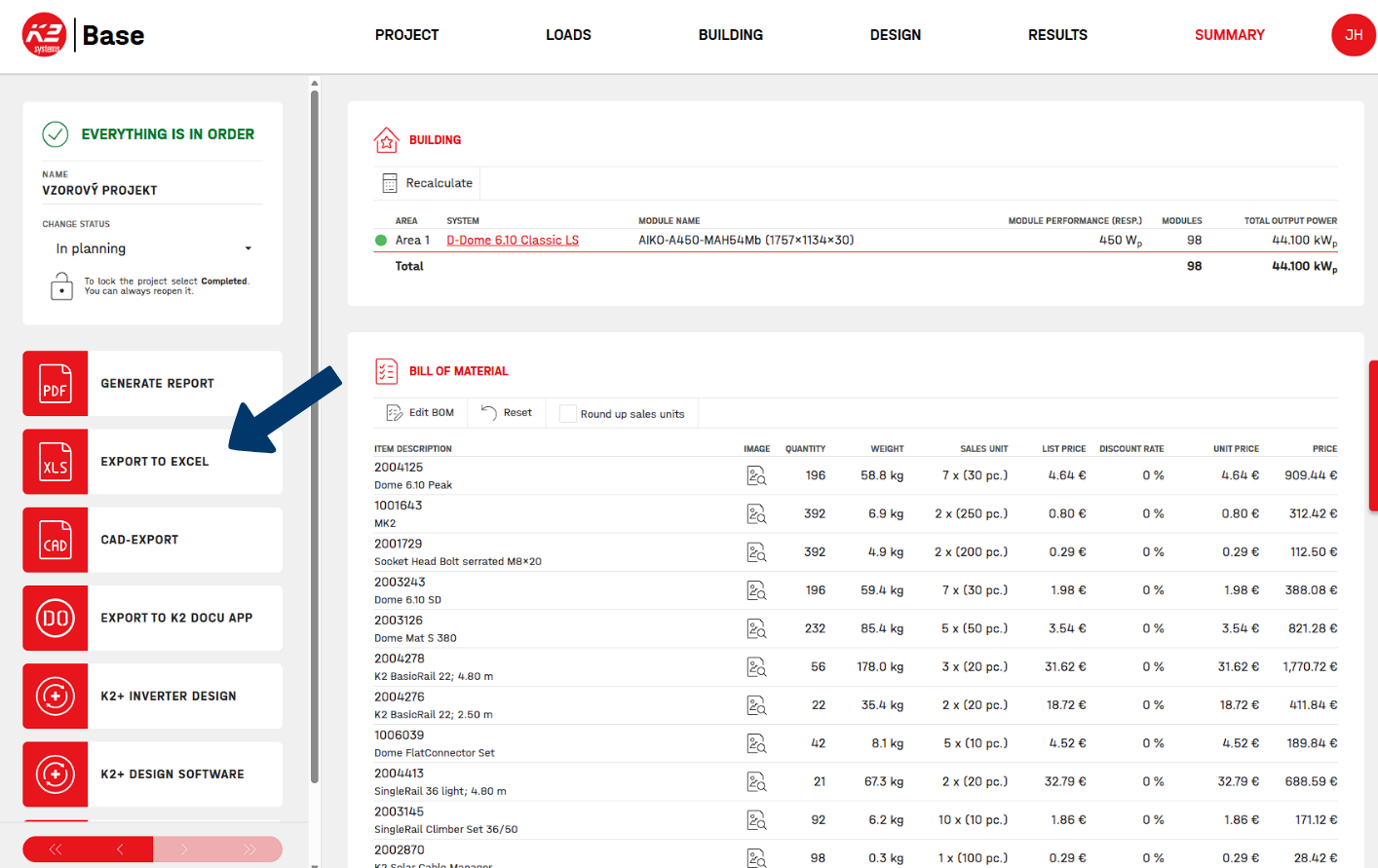
Alternatively, you can select items from our menu and prepare the list yourself.
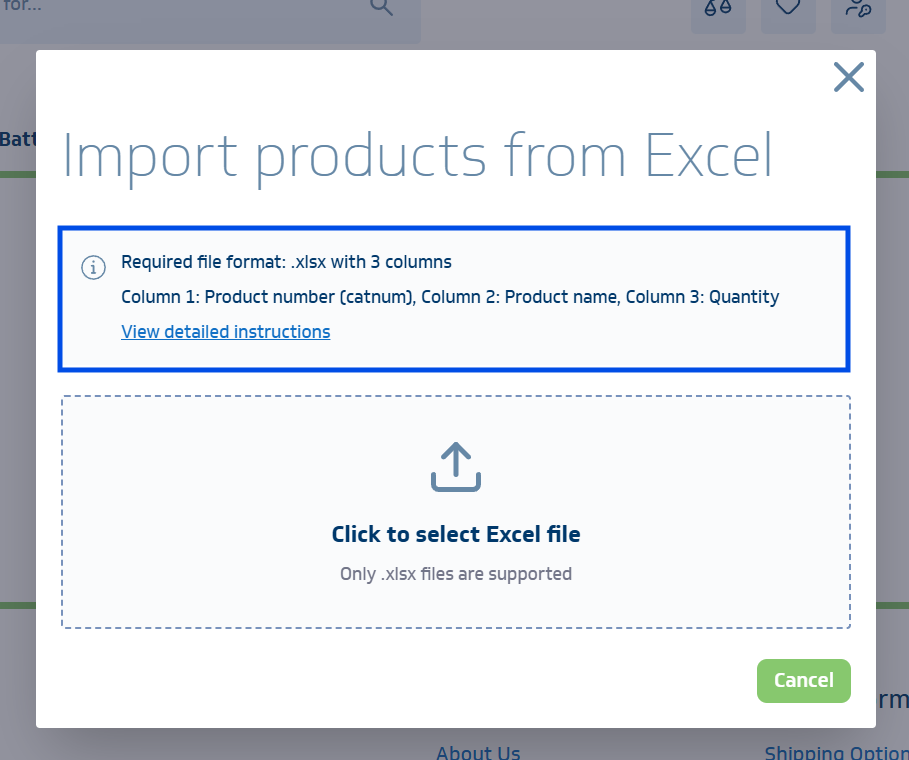
The first three columns are important:
- Column 1: Product number (PLU code = Catalogue number of the manufacturer K2)
- Column 2: Product name (you do not need to have it filled in, but the column must be retained)
- Column 3: Quantity
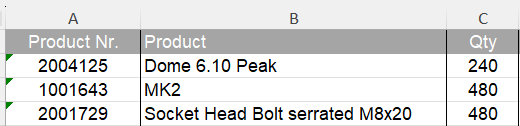
3. Edit list
4. Go to the shopping cart on the e-shop and select Import construction list.
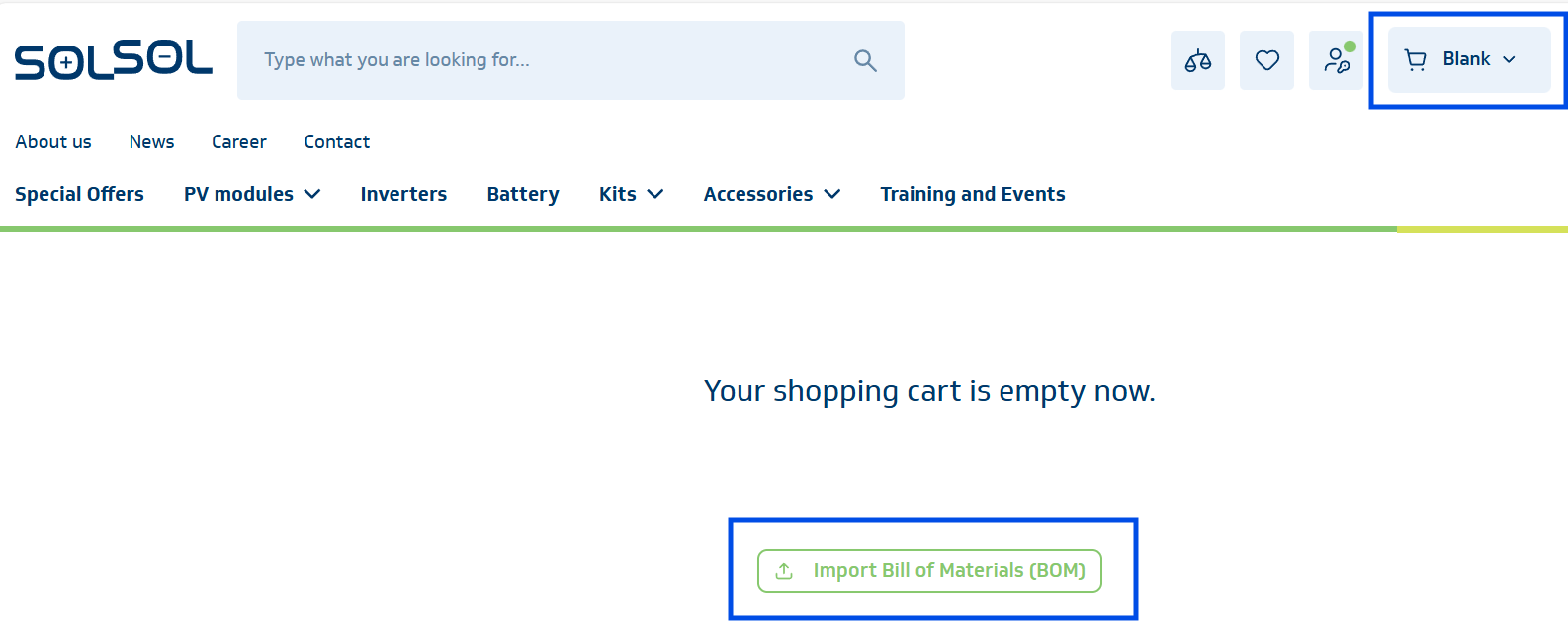
5. Import products from Excel
6. Check the import result
If the products are not in stock in the required quantity, the e-shop will display the currently available quantity. You must confirm the addition of this quantity. You can continue the purchase without the items that are not in stock in the required quantity or not in stock at all.
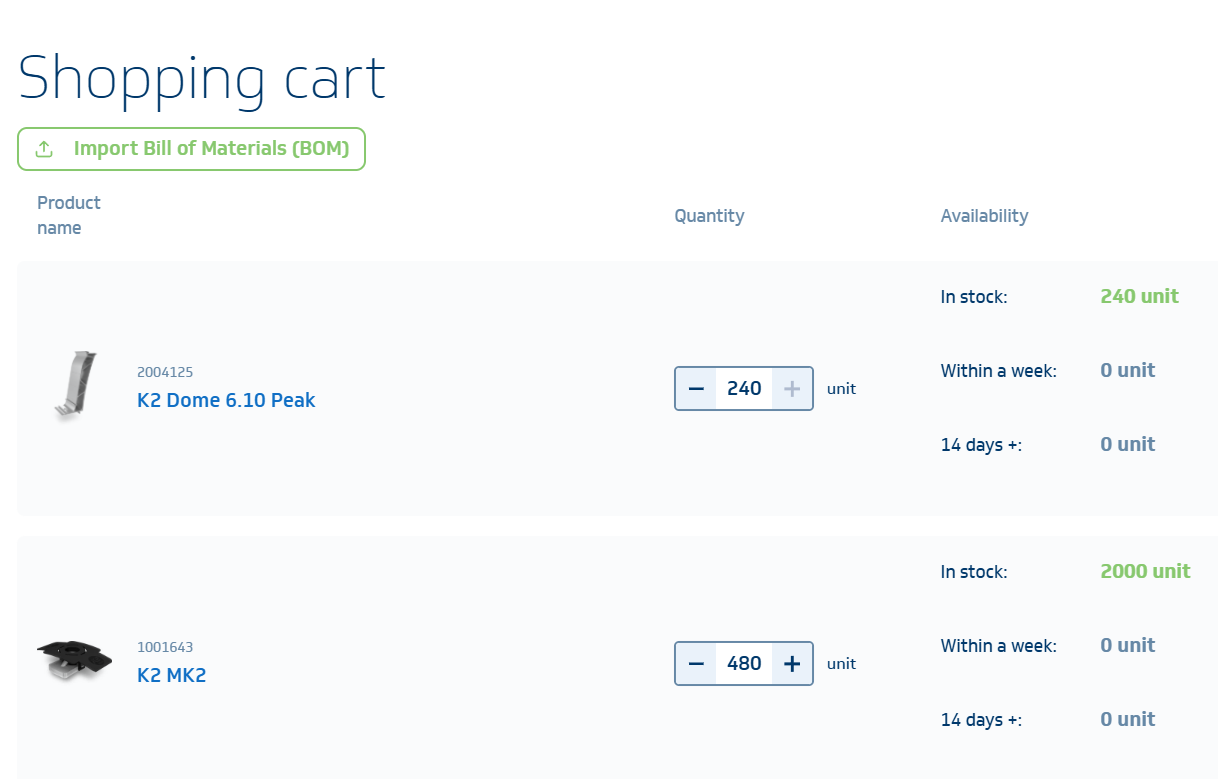
7. The imported items will be displayed in the shopping cart
SOLSOL has been your reliable partner in solar energy since 2012.
All orders are subject to the General Terms and Conditions. Copyright © 1996-2023, SOLSOL s.r.o.
User consent settingsMo-Fr 8:00-16:30