
-
From K2 Base Directly to the SOLSOL Shopping Cart
Planning K2 structures is now one step easier. Thanks to the new K2+ feature, once you have finalised your design in K2 Base, you can transfer the entire list of required components directly to the SOLSOL shopping basket.
This eliminates the need to export the list to Excel, import it manually or send it to a distributor by email. You can go straight from the structural design to placing an order.
From design straight to purchase
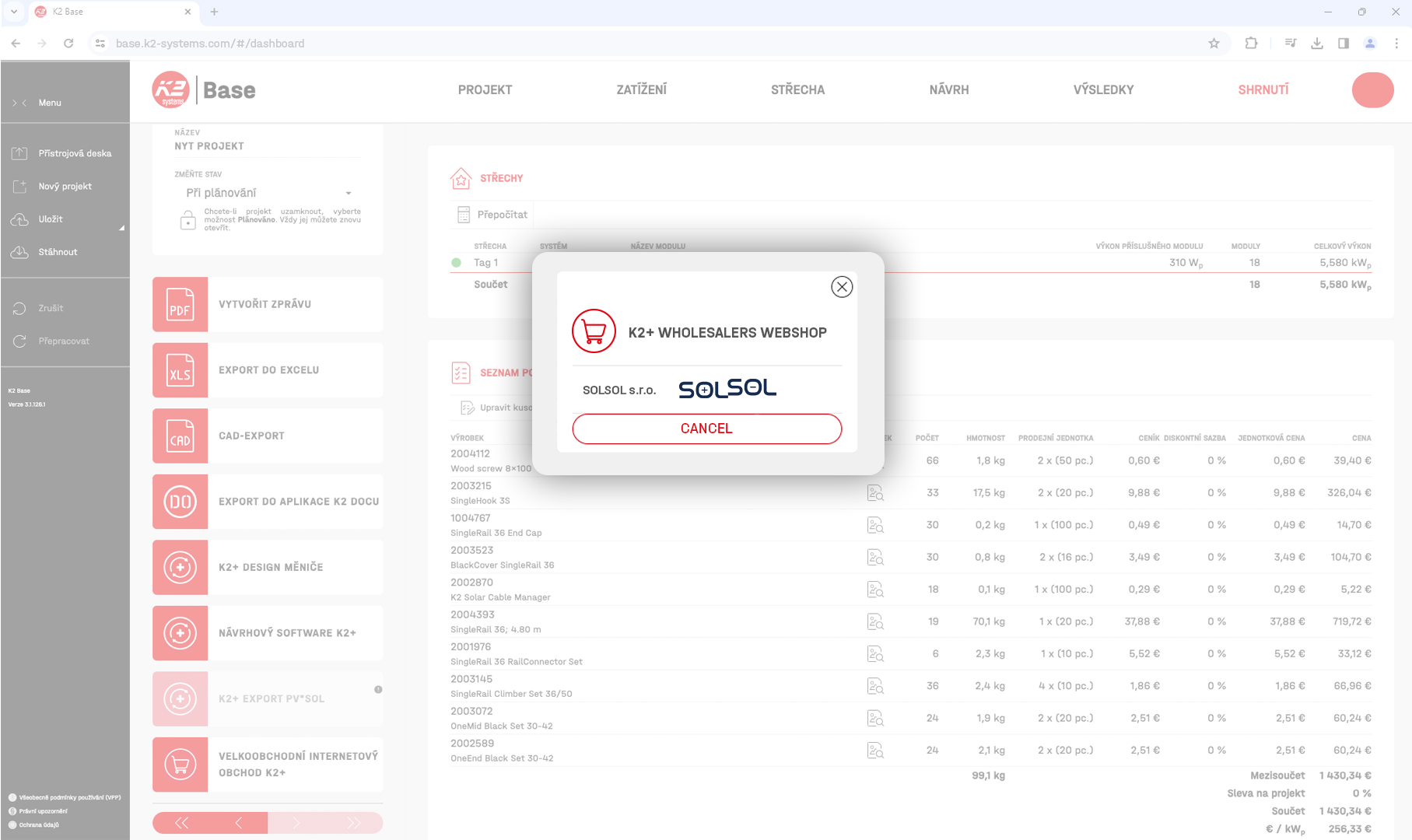
Once you’ve completed your project in K2 Base, you’ll find a complete list of the components required for that specific structure in the Summary tab.
You can now use the K2+ Wholesalers Webshop feature here, select SOLSOL and transfer the list of items directly to our online shop.
The items will be automatically added to your shopping basket, where you can check the quantities and proceed with your order as normal.
What are the benefits of this new integration?
The main advantage is simpler and faster ordering:
- you do not need to manually retype catalogue numbers or quantities,
- you do not need to export and send a list of products by email,
- you reduce the risk of errors during manual data transfer,
- you can save SOLSOL as one of your preferred distributors in MyK2,
- K2 Base will also show whether all items have been successfully transferred to the online shop.
How do you set up SOLSOL in K2 Base?
Simply log in to your MyK2 account and open the list of available distributors in the Profile section.
Here, you can activate SOLSOL and add us straight away to your list of favourite distributors. The next time you create a design, once the project is complete, go to the Summary tab, click on K2+ Wholesalers Webshop and select SOLSOL.
The list of components will then be transferred directly to our shopping basket.
You can still use the bulk import feature
If you need to edit the list of items, change quantities or remove certain components before placing your order, you can still use the existing option to export from K2 Base to Excel and then perform a bulk import into the SOLSOL e-shop.
You therefore have a choice of two methods:
K2+ for the quickest possible transfer of your draft directly to the basket, or an Excel import if you want greater control over the list before placing your order.
You can find comprehensive instructions for both methods on our K2 Systems ordering guide page .
SOLSOL has been your reliable partner in solar energy since 2012.
All orders are subject to the General Terms and Conditions. Copyright © 1996-2023, SOLSOL s.r.o.
User consent settingsMo-Fr 8:00-16:30